
ESPN Unlimited Plan
Your Twin Lakes TV Subscription Just Got Better:
The ESPN Unlimited Plan Now Included
Great news! Your Twin Lakes Expanded TV subscription now includes the ESPN Unlimited plan at no additional cost.* If you already receive ESPN networks from your Twin Lakes TV package, the ESPN Unlimited plan is included – no extra charges.
What is the ESPN Unlimited Plan?
With the ESPN Unlimited plan, you can stream all ESPN networks and ESPN+ content via the ESPN website or app—anytime, anywhere. From live games to exclusive shows, it’s the ultimate sports experience.
What’s Included?
- Live & On-Demand Streaming: Watch across smartphones, tablets, smart TVs, and computers.
- All ESPN Networks & Services: ESPN, ESPN2, ESPNU, ESPNEWS, ESPN Deportes, SECN, ACCN, ESPN+, ESPN on ABC, SECN+, and ACCNX.
- Coverage of Top Sports: NFL, NBA, NHL, MLB, tennis and golf majors, WWE, SEC, ACC, Big 12 football and basketball, postseason action, and more.
- Fan-Favorite Shows: SportsCenter, First Take, College GameDay.
Why You’ll Love it
- No Extra Cost: Included with your TV subscription.
- All-in-One Access: ESPN channels + ESPN+ content together in the ESPN website/app.
- Stream Anywhere: Multiple devices, anytime.
Getting Started
If you are not yet registered for Watch TV Everywhere, below you will find step-by-step instructions on doing so. If you already have a Watch TV Everywhere account, and just need to active ESPN Unlimited on your account, proceed to step 6.
How to Register for Watch TV Everywhere with Twin Lakes
Step 1: Have your Twin Lakes account number and the last name as listed on your account. You will need these to register.
Step 2: Visit https://www.watchtveverywhere.com
Step 3: Select Twin Lakes as your TV Provider
Step 4: Register for an account with your Twin Lakes account number, name and any other required information. Create a username and password for your Watch TV Everywhere account.
Step 5: Confirm your registration via the confirmation e-mail received. Click the link to activate your account.
Step 6: Log in at https://www.watchtveverywhere.com and browse the available networks and their content.
Step 7: Activate your ESPN Unlimited – Once you are logged into your Watch TV Everywhere account, on the top left hand side of the screen you will see “Activate ESPN Unlimited Now! Click Here”
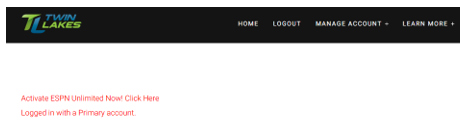
Click on “Click Here” and you will be redirected to the page to enter your Watch TV Everywhere credentials again.
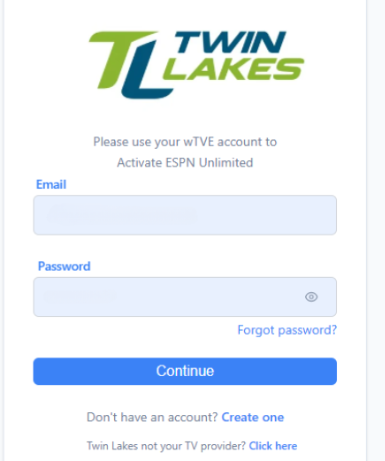
Enter your credentials and click “Continue”
If the screen below appears, click “Agree and Continue”. If you already have an existing ESPN subscription, this will not replace that subscription and must be managed separately.
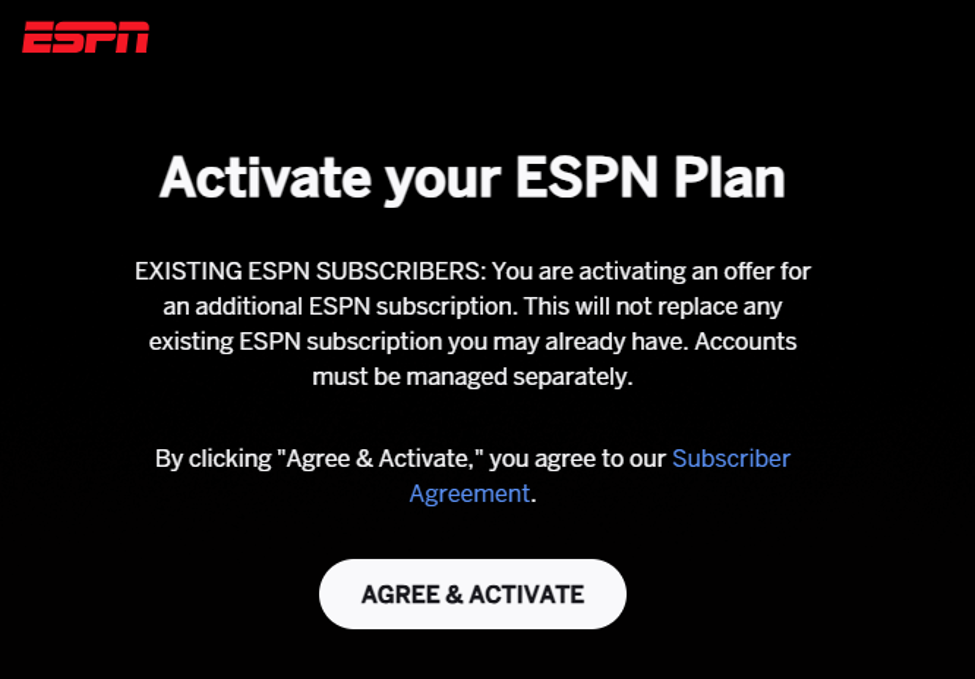
Next, log in through your MyDisney account. Once complete, you will see the ESPN Unlimited content display and are ready to start watching.
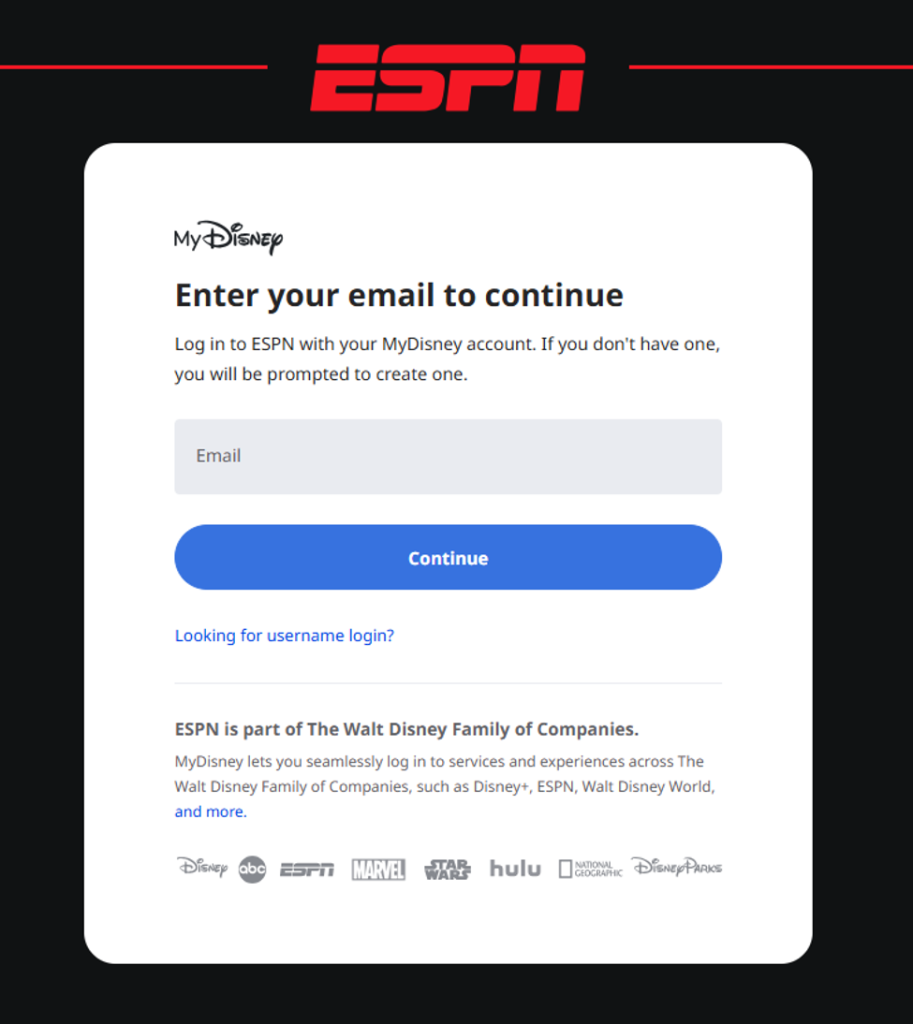
To access the ESPN Unlimited plan on a different device after completing the initial setup, enter your MyDisney credentials at ESPN.com or the ESPN app.
If you see two subscriptions in your account or receive an e-mail stating you have multiple subscriptions, double check to ensure you are not paying for ESPN in another subscription service. If you’ve ever had an ESPN+ subscription in the past, even if it’s now canceled, or if you currently have a Disney+ subscription, that can sometimes cause ESPN to recognize more than one subscription on your account.
Because of this, ESPN may ask you to confirm that you’re not being charged separately for ESPN Unlimited elsewhere. This is just a verification step to make sure there isn’t any duplicate billing tied to your account.
*Must be 18 years of age or older to redeem the offer. For existing ESPN subscribers, this is an offer for an additional ESPN subscription. This will not replace any existing ESPN subscription you may already have. All other accounts must be managed separately. You must remain on an eligible plan to retain your offer. If you cancel your eligible plan or switch to a non-eligible plan, your access to ESPN will end at the end of your eligible plan. One offer per eligible account. Use of the ESPN is subject to the Disney+, ESPN, and Hulu Subscriber Agreement.
Questions? Contact our Technical Support Team here.